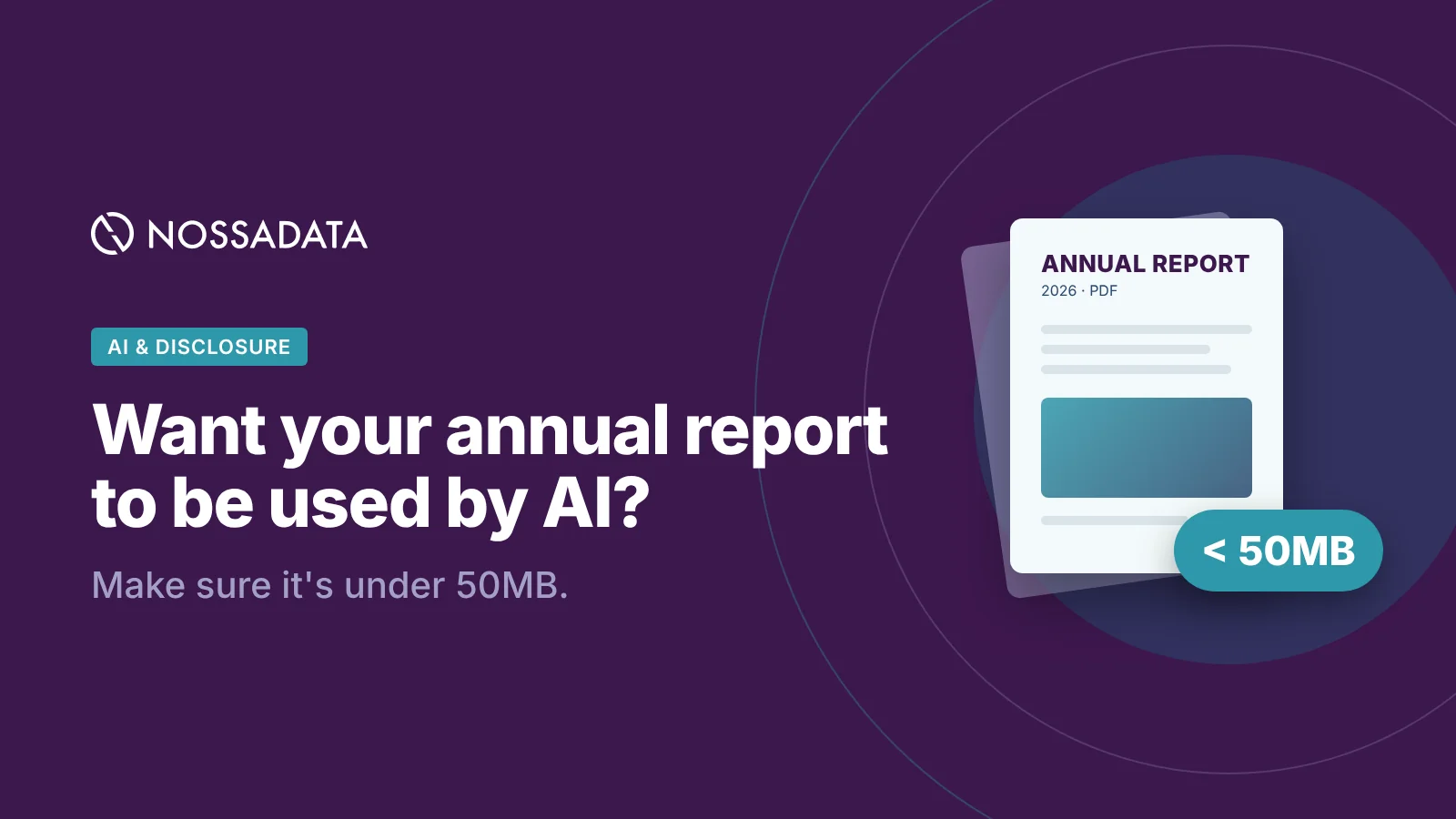
If your annual report PDF is over 50MB, there's a good chance the AI tools your investors, analysts and ESG raters use won't read all of it.
How this came up
At Nossa Data's daily standups we are always speaking with our engineers on what AI can and cannot do. Recently, one of our engineers raised the fact that the latest AI models block files above a certain size, specifically 50MB. As a software provider aimed at streamlining disclosure for listed companies, a significant amount of our work involves running annual reports, sustainability reports and climate disclosures through AI.
Following this learning, we looked up the published limits for each of the main AI platforms and compared them. File size turned out to matter more than most of us expected, and in some cases it decides whether a report gets read at all.
Most listed companies do not have a file size problem, however, some still do. Of the more than 1,400 annual reports we've reviewed for file size, only 40 are over 50MB, under 3%. Most companies are fine, but if your report is one of those 40, there's a real chance AI isn't reading all of it.

Why file size affects AI
Before an AI model can answer questions about a PDF, it has to turn each page into text, and often into an image as well. Every platform limits how much of that it will do, usually by file size, page count or the amount of text.
If a report goes over one of these limits, one of three things tends to happen.
- The file is rejected. AWS Bedrock's Converse API, for example, returns an error for any document over 4.5MB.
- The file is skipped and nobody is told. Bedrock Knowledge Bases leave out PDFs over 50MB during a sync and carry on with the other files.
- Only part of the file is read. ChatGPT indexes up to around 2 million tokens of text per document and ignores anything after that. Claude only looks at charts and images in PDFs of 100 pages or fewer, and reads the text alone in longer ones.
A key risk to issuers, your AI is probably not flagging this to you. The AI answers from part of your report, and the person using it has no reason to think anything is missing.
It's also worth knowing that analysts and rating agencies rarely upload reports into a chat window one at a time. They tend to use tools built on APIs such as Gemini, Bedrock and the Claude API, and those have some of the strictest limits.
AI file size limits: ChatGPT, Claude, Gemini, AWS Bedrock and Grok
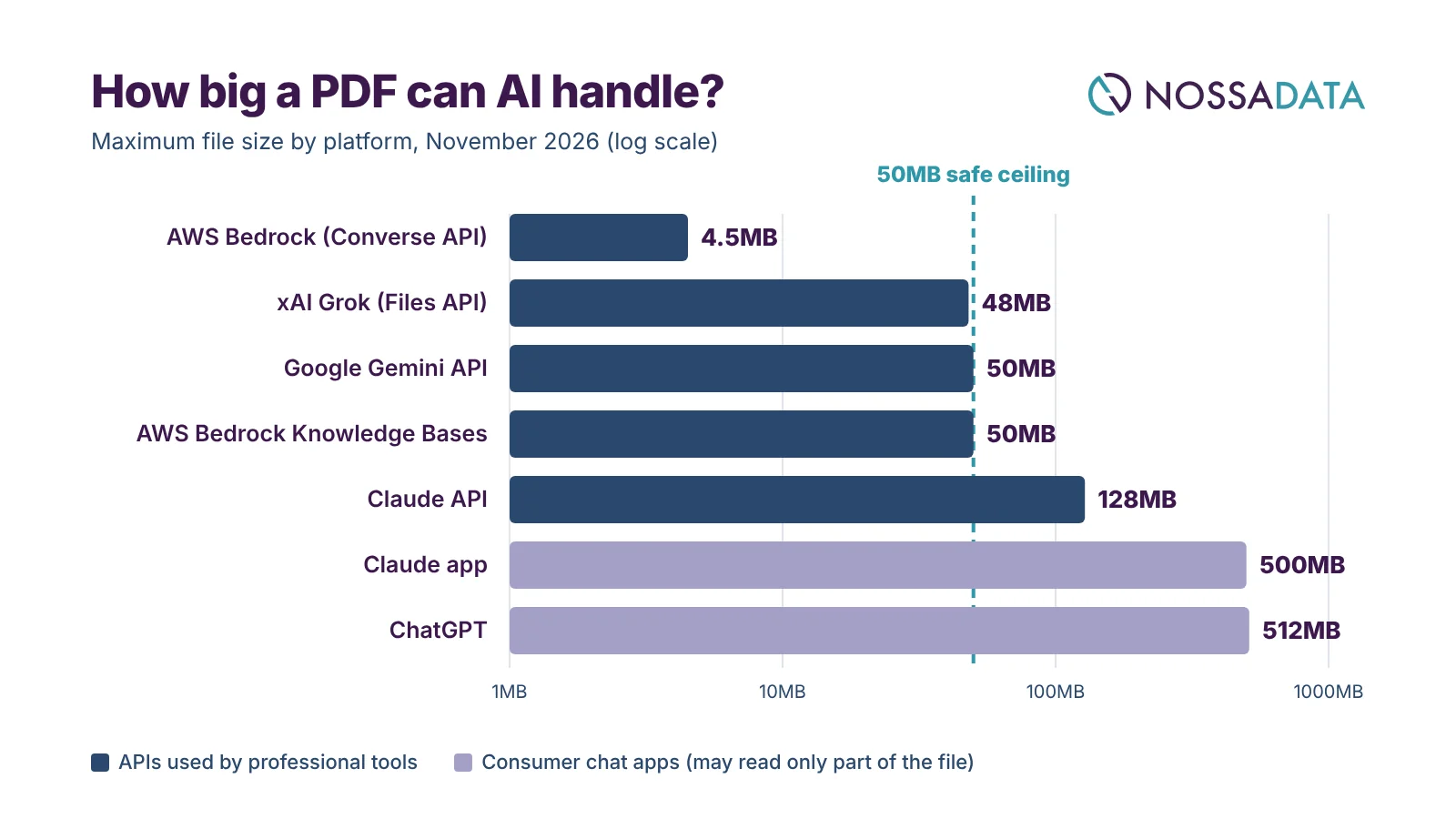
Chat apps such as ChatGPT and Claude accept very large uploads. The APIs that most professional tools are built on are stricter, and several cap PDFs at around 50MB or less. That's where our 50MB guideline comes from.
| Platform | Where it applies | Max file size | Other limits that bite |
|---|---|---|---|
| AWS Bedrock (Converse API) | Enterprise AI apps | 4.5MB per document | Max 5 documents per request; larger files fail |
| xAI Grok (Files API) | Developer integrations | 48MB per file | Grok app allows 150MB; API retrieves passages rather than reading the whole file |
| Google Gemini API | Developer and enterprise pipelines | 50MB per PDF | 1,000 pages max; 20MB for inline uploads; Gemini app allows 100MB |
| AWS Bedrock Knowledge Bases | Enterprise search and RAG | 50MB per file | Larger files are skipped silently during sync |
| Claude API | Developer and enterprise pipelines | 128MB per request | 600 pages (100 on smaller context windows); dense pages can fill context first |
| Claude app | Claude.ai chat | 500MB per file | 1,000 pages; charts and images read only up to 100 pages |
| ChatGPT | ChatGPT chat and custom GPTs | 512MB per file | 2M tokens of text per document; images in PDFs ignored outside Enterprise |
Limits checked in November 2026. They change fairly often.
Looking across the table, the platforms with generous upload limits are the ones most likely to read only part of a large file, while the stricter ones turn it away. Keeping a report under 50MB, with selectable text and compressed images, avoids both problems on nearly every platform we looked at.
What makes an annual report PDF too large?
Text on its own takes up very little space. A 300-page report with no images would usually come in under 5MB. Most of the size comes from design decisions made with print in mind.
| Cause | Why it inflates the file | Fix |
|---|---|---|
| High-resolution photography | Print-ready images at 300+ DPI, often full-bleed, can each run to several MB | Downsample to 150 DPI for the web version; use JPEG compression |
| Scanned or flattened pages | Each page becomes one large image with no selectable text, so AI may see an empty document | Export from source files; run OCR if scanning is unavoidable |
| Charts exported as images | A chart saved as a bitmap is heavier than vector, and its numbers become invisible to text extraction | Keep charts as vector graphics and put the key figures in the text |
| Embedded fonts | Full font families, rather than subsets, add MB to every file | Subset fonts on export |
| Layers, transparency and print marks | InDesign layers, bleed, crop marks and colour profiles survive into the PDF | Use a "smallest file" or web export preset |
| Embedded video, audio or 3D | Rich media can add tens of MB on its own | Link to the media instead of embedding it |
| Combining several reports into one | Annual report, sustainability report and financial statements in one PDF | Publish each as a separate, linked PDF |
| Repeated background graphics | Decorative textures and full-page backgrounds stored on every page | Use simple backgrounds; reuse objects |
It isn't unusual for a sustainability report to be over 100MB, mostly because of photography. The parts raters actually look for, such as emissions data, targets and governance, make up a small fraction of that.

What this means for your company
A report that's too large doesn't only take longer to process. It can make it look as though your company has disclosed less than it actually has.
- ESG raters and data providers now use AI to find evidence in company reports. If their tool skips your file or only reads the first part, a policy on page 180 might not get picked up, and that can affect your score.
- Fund managers and analysts use AI to screen and compare companies. A report that won't load can drop out of the comparison altogether.
- AI is least reliable with charts saved as images and with scanned tables, which is often how emissions figures are presented.
- You won't get a warning. If your report was only partly read, the first you hear of it may be a lower rating, or a question about something you've already disclosed.
More of the people reading your annual report are using AI to do it, so it's worth making sure the file works for them too.
Checklist: how to make your annual report AI-ready
The simplest approach is to publish a lighter, text-based version of each report alongside the designed one. Before it goes live, it's worth checking the following.
- File size is under 50MB (under 30MB is better; under 5MB for the core data appendix)
- Text is selectable, not scanned or flattened
- Images are downsampled to 150 DPI and compressed
- Fonts are subsetted, and layers, bleed and print marks are removed
- Charts are vector graphics, with key figures also stated in the text or a table
- No embedded video, audio or 3D content
- Annual, sustainability and financial reports are published as separate, linked files
- Page count stays under 100 where possible, or a summary data PDF is provided
- Key metrics (emissions, targets, governance) sit in real tables, not images
- Clear headings and a linked table of contents help AI find each section
How Nossa Data can help
We review company disclosures with AI every day, so we see first-hand where reports cause problems. Our AI reviews read your annual and sustainability reports in much the same way that ESG raters, analysts and investors are starting to.
A Nossa Data review gives you:
- a view of which disclosures AI picks up and which it misses, whether because of file size, scanned pages or charts saved as images
- a gap analysis against the data points used by CDP, S&P Global CSA, Sustainalytics, MSCI, ISS, ESRS and more
- verbatim quotes with page references, so your team can see exactly what was found and where
- a comparison with your peers, showing what they disclose that you don't
That way you can fix gaps before a rater or investor comes across them.
If you'd like to know how well AI can read your annual report, get in touch to book an AI review.
Frequently asked questions
What is the maximum PDF file size for ChatGPT?
ChatGPT accepts files up to 512MB, but it indexes only about 2 million tokens of text per document. Text beyond that is dropped without warning.
What is Claude's PDF file size limit?
The Claude app accepts files up to 500MB and 1,000 pages, but analyses charts and images only in PDFs of 100 pages or fewer. The Claude API allows 128MB per request and up to 600 pages.
What is Gemini's PDF file size limit?
The Gemini API processes PDFs up to 50MB and 1,000 pages. The Gemini app allows uploads up to 100MB.
What is the AWS Bedrock document size limit?
Bedrock's Converse API accepts documents up to 4.5MB each, with up to five per request. Bedrock Knowledge Bases accept files up to 50MB and skip larger ones.
Why should an annual report be under 50MB?
50MB is the ceiling for several professional AI pipelines, including the Gemini API and Bedrock Knowledge Bases. Staying under it means your report can be read in full by most AI tools. In Nossa Data's review of more than 1,400 annual reports, only 40 were over 50MB.
How do I reduce the file size of my annual report PDF?
Downsample images to 150 DPI, subset fonts, remove print layers, keep charts as vectors and split combined reports into separate files.